

Google Business Profile posts are short announcements, deals or events you publish to your local page so people see them in Search and Maps. Most owners skip them because they don’t know what to write.
So we’ve put together a plain plan you can repeat without it eating your week.
What Google Business Profile Posts Are and Where They Appear
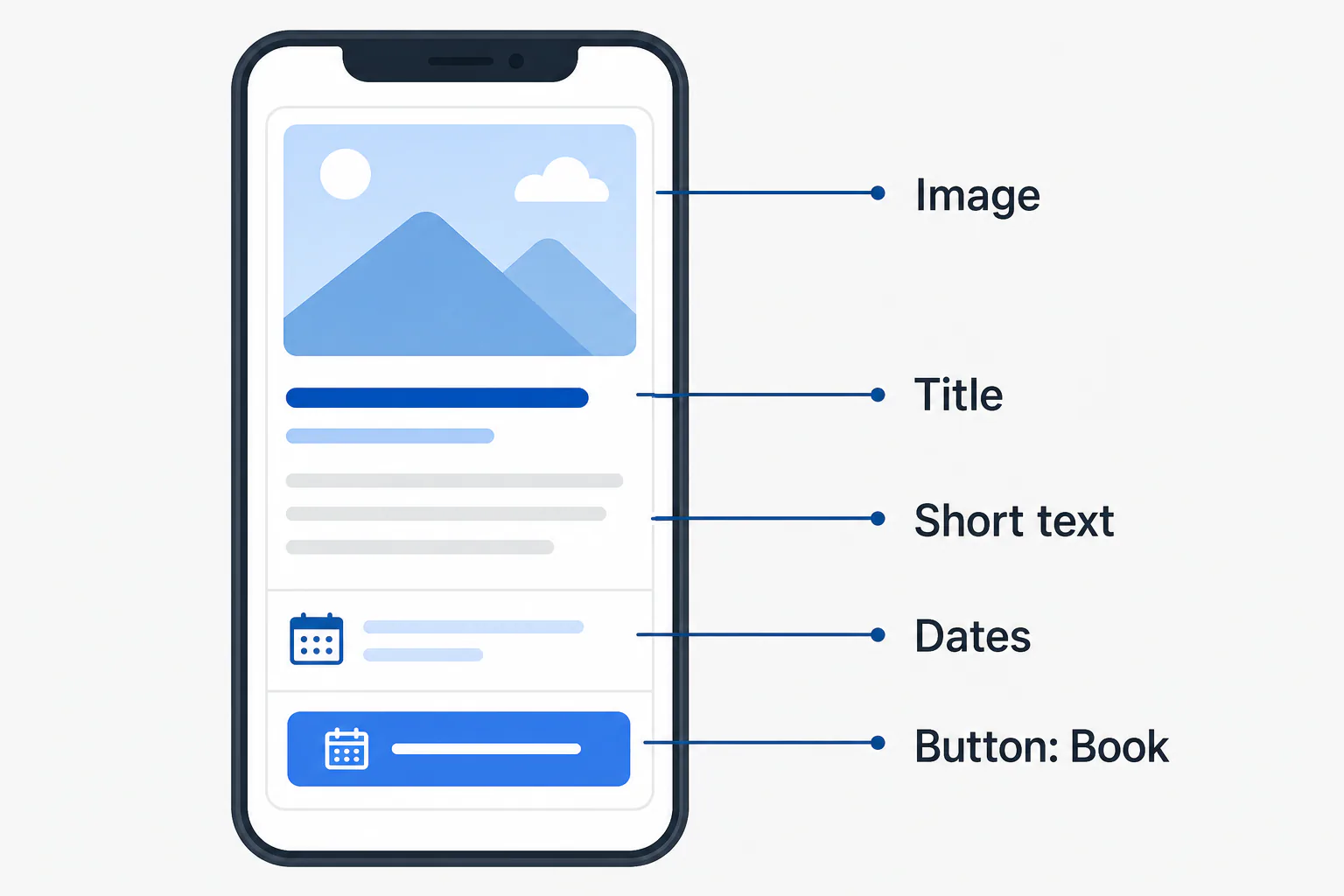
Each one is a short piece of content on your verified listing: an image, a few lines and an optional button. Google Business Profile posts help you promote news, discounts, events or products, and Google posts show up for people already looking you up.
What a post looks like in Search and Maps
Each one is a card. It has a picture on top, a line or two of text, and a button like Book or Learn more. On a computer, Google posts sit in your panel. On a phone, people find them under the Updates tab.
Who can post: verified listings and eligibility
You need to be verified first. Storefronts and service-area businesses can both publish. A few categories, such as hotels, get fewer types. If you haven’t claimed your listing yet, follow a step-by-step Google Business Profile setup to get verified before your first post.
Where to find the posts feature in the Hub today
As of October 2026, it lives in the Hub: search your company name on Google while signed in to the managing account. Look for “Add update.” If a label looks different, use the panel’s search.
Update, Offer or Event: A Decision Rule for Choosing Your Post Type
Pick the type by what you want people to do and when the message stops mattering. Each one has its own fields and its own lifespan.
What’s New (update) posts for news, services and products
This type covers a new service, a finished job, a seasonal special, a special event note or a holiday hours note. It has no dates. Per Google’s help page, it stays visible for about six months, though it leaves the main view after about a week.
Offer posts for deals with a start and end date
Use this one for a discount, a coupon code or a free add-on that runs between two dates. Google posts of this type stay up until the end date.
Event posts for things that happen at a set time
Classes, open houses, tastings and workshops belong here. You set a start and end time, and the card stays live until the event is over.
Which type to pick for your goal
Here’s the rule. If there’s a price cut, choose Offer. If people show up at a set date and time, choose Event. Everything else is an update. The table matches common local goals to a type:
| Your goal | Type | How long it stays up |
|---|---|---|
| Announce a new product or service | What’s New | About a week |
| Fill slow weekdays with a discount | Offer | Until the end date |
| Get people to a workshop or open house | Event | Until it ends |
| Show off recent work | What’s New | About a week |
How to Create a Card, Step by Step
Step 1: Open your listing and choose Add update
Search your company name on Google while signed in, or open the Hub. Click “Add update,” then pick one of the four types above.
Step 2: Add a photo that follows the image rules
Upload a sharp, well-lit image of the real thing: the dish, the job site, the team. Skip stock pictures. Keep text on the image to a minimum, because the guidelines say to avoid it.
Step 3: Write the text and keep contact details out of it
Lead with the benefit, since the first line shows before the text cuts off. Think about your audience and what they need. Don’t put a phone number or email in the body. That’s a policy risk and can get the whole thing removed. Your page already shows how to reach you.
Step 4: Pick a call to action button
Match the CTA button to the next step. Your choices are Book, Order online, Buy, Learn more, Sign up or Call now. A single clear choice drives better engagement than a vague “Learn more” on everything.
Step 5: Preview, publish and check it on your listing
Preview it, publish, then search your name from a normal browser to confirm it shows. Some cards go through a short review before they appear. If your whole listing is missing from results, work through the common reasons a business doesn’t appear on Google Maps before posting more.
A Worked Example With Every Field Filled In
This example is illustrative, not a real client.
The business and the goal
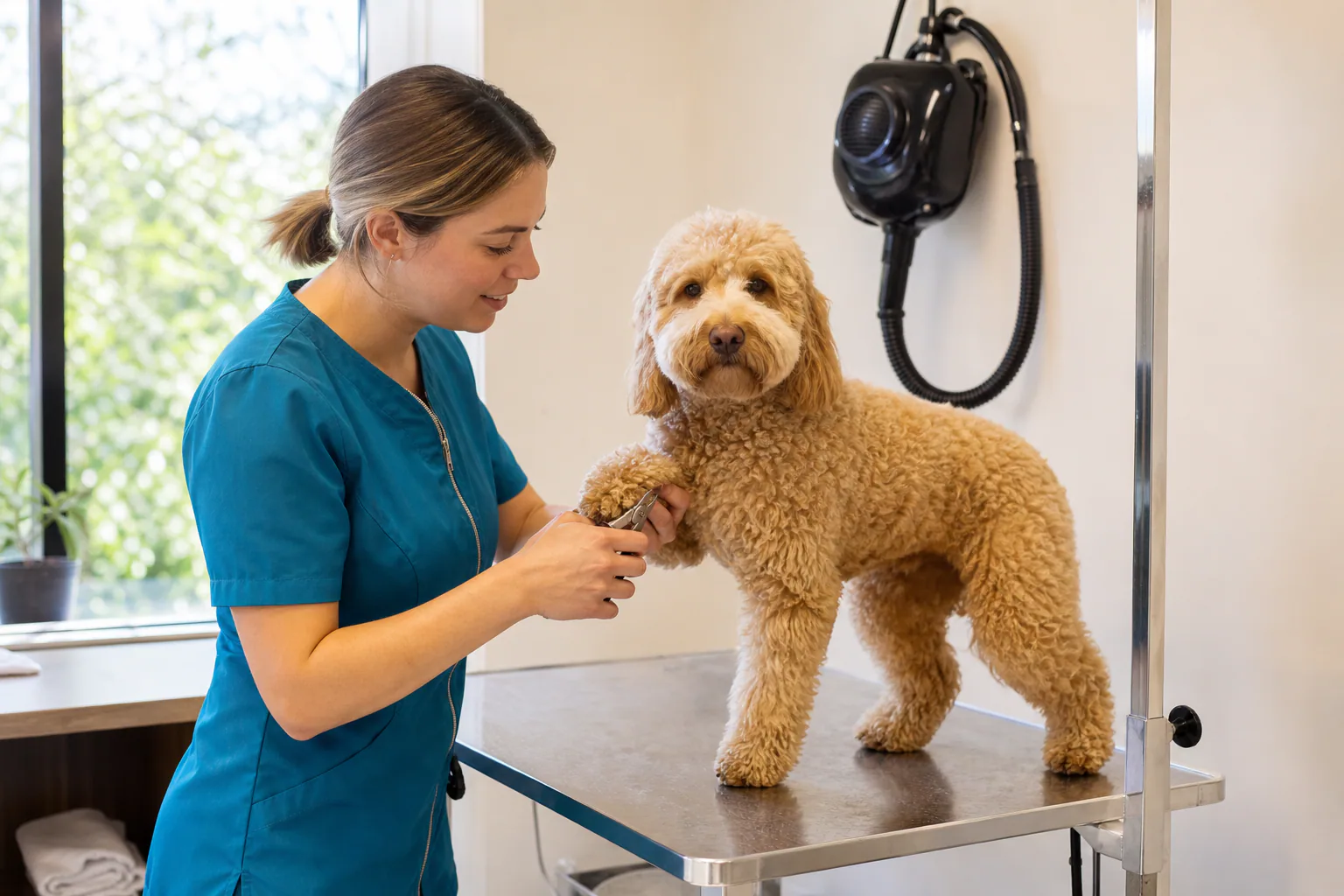
A dog groomer in North Park has quiet Tuesday and Wednesday afternoons. The owner wants to fill them in November.
The finished post, field by field
Here’s every field, filled in:
- Type: Offer
- Title: Free nail trim with any weekday groom
- Dates: November 3 to November 26, 2026
- Image: a freshly groomed doodle on the table, natural light
- Details: Book a full groom on a Tuesday or Wednesday this month and get a nail trim added free.
- Coupon code: TUESPAW
- Button and link: Book, pointing to the booking page
- Terms: One per dog, weekday appointments only
Why each choice was made
The dated type keeps the special visible all month. The title says the benefit first, and Book matches the goal. As a strategy to promote slow days, it’s cheap and easy to measure. It won’t fix your SEO alone.
How Often to Post: Expiry and a Simple Reposting Calendar
How long posts last by type
Per Google’s help page, an update stays on your page for about six months unless you set dates, though it leaves the main view after about a week. Google posts with dates stay visible until their end date.
A weekly rhythm a busy owner can keep
This routine takes one short sitting a week:
- Every Monday: one What’s New card with a fresh image of recent work or a product.
- Once a month: one dated special that runs for the full month.
- A week or two before upcoming dates: an Event card for any class or open house.
Rotate the CTA by goal. Use Call now for phone leads, and Book for appointments. Short videos of your work can round out your Google Business Profile posts and any other Google posts you publish.
Can you schedule Google Business Profile posts?
Google’s help describes a “Schedule this post” option: pick a date and time, then tap Schedule. Third-party tools can also schedule them ahead. If you don’t see it, write four cards in one sitting and set a Monday reminder.
Do Google Business Profile Posts Help Rankings? An Honest Answer
What posts can do for clicks and trust
They give potential customers a reason to pick you over the next result. A current product, a dated discount and fresh pictures all show you’re open and active, which can lift engagement with your audience and help promote your best offers.
What posts cannot do on their own
Google hasn’t publicly named them a ranking factor, and they won’t replace reviews, the right categories or a strong website. Google Business Profile posts work best as part of a wider strategy with steady content on your own site, which supports local SEO over time. Posts are one piece of a bigger picture, and getting found locally on Google Maps also depends on reviews, categories and accurate listing details. If you’re unsure what to list, start by choosing the right Google Business Profile categories for your main service.
How to see whether your posts get action
Open Performance in the Hub and track calls, website clicks and direction requests month to month. If those numbers rise in the weeks you follow these best practices, keep going.
Why Posts Get Rejected or Ignored, and How to Fix Them
Policy mistakes that trigger removal
The usual culprits are phone numbers or emails in the text, misleading claims, off-topic content and links to unrelated sites. Remove the problem, rewrite the card and publish it again.
Weak photos, vague text and the wrong button
A blurry photo or a line like “Come see us!” gets scrolled past. Use short videos of real work instead. Match the button to the job: a salon that books online shouldn’t use Call now.
If you’d rather not keep up the routine yourself, our SEO Marketing plan includes setup and maintenance.
Frequently Asked Questions
What does a Google Business Profile post look like?
What does a Google Business Profile post look like?
It’s a small card with one image, a short headline or a few lines of text, and an optional button such as Book or Call now. Dated types also show their start and end dates. On a phone, people see these cards under your listing’s Updates tab.
Where do I see Google business posts?
Where do I see Google business posts?
Search a company’s name on Google and look in the panel on the right, or scroll the listing on your phone. Your own cards appear there too. You can also review them inside the Hub when you’re signed in to the managing account.
Where is the Google Business Profile page?
Where is the Google Business Profile page?
Sign in to the Google account that owns your listing, then search your company name. The management panel appears right above the results. You can also open Google’s Business Profile site and pick your location from the list.
What are good Google Business Profile post examples?
What are good Google Business Profile post examples?
A plumber shows a before-and-after water heater swap with Learn more. A cafe announces a new seasonal drink with Order online. A salon introduces a new stylist with Book. A landscaper shares a finished drought-tolerant yard. Each one uses a real image and one clear next step.
Can I post if my business has no storefront?
Can I post if my business has no storefront?
Yes. Service-area businesses with a verified listing can publish the same cards, and your home address stays hidden. Focus on finished jobs, the neighborhoods you cover and seasonal services, so nearby customers see what you do before they call.